Google has been playing the social networking game for a long time. The company didn’t start with Google Plus. It started with Orkut back in January 2004. That launch happened when Friendster was still king. Myspace hadn’t even launched yet. Facebook was more than a year away from its first incarnation. Orkut found some success in Brazil and India. It never really caught on anywhere else.
That failure didn’t stop Google from trying again. In 2009, the company introduced Google Wave. This platform allowed real-time communication. Users could share thoughts, links, and files in a fluid environment. Wave didn’t acquire an audience. It was too difficult to describe the service to strangers. The limited beta program made it hard to find people you knew who also had access. Google eventually stopped supporting Wave as a standalone product.
The next year came Google Buzz. This tool added functions to Gmail. Google intended for people to share information and links more easily. You could share with groups of friends or the general public. Buzz acted like an extension. You could add its functionality to Picasa. Early privacy concerns plagued the service. It didn’t take off.
Google never called it quits. The company went back to the drawing board. In 2011, the company launched Google Plus. The project was originally codenamed Emerald Sea. On the surface, Google Plus is part Twitter, part Facebook, and part Beluga. It gives you another way to build a social network. You can share information with other people.
Google launched Google Plus as a private beta. It used limited invites. For a while, an invite to Google Plus was the hottest ticket on the Web. The initial population looked like a who’s-who of tech journalists and geek personalities.
Let’s begin with an overview of some of Google Plus’s features.
Your Google Plus presence starts with a profile. Google has let you build these for years. The stated goal was to control what appears when people search your name. You decide what stays visible. You can list your address, phone number, or email. You can link to your personal or professional sites. Privacy levels are granular. You might hide your home address from the general public but share it with selected groups. If you want total anonymity, you can stick to just your name. Google doesn’t force extra data.
Understanding circles
Before diving deeper, you need circles. A circle is a collection of people you want to connect with. Google Plus ships with three defaults: friends, family, and acquaintances. You can make custom ones too. You categorize people. Josh Clark can be in your friends circle and your coworker circle simultaneously.
Circles let you share specific info with specific groups. They also filter what you see. You can read content from one group while ignoring the rest. Putting someone in a circle doesn’t mean they follow you back. It’s a one-way relationship. Google Plus works like Twitter in this regard. You can follow people who don’t follow you.
The stream and formatting
Your profile becomes the “about” page on Google Plus. People click that tab to learn more. They only see what you choose to share. You can customize sharing for each section. Maybe your friends circle sees your address. Maybe a specific individual sees something else. You can create a small circle for high-trust info.
The main action happens in the stream. It’s like Facebook’s wall. You see status updates from people in your circles. You post to specific circles or individuals. Want to tell friends you’re at a bar without your boss knowing? Post to the friends circle. Public updates are viewable by anyone who has put you in a circle. They may also show up in search results.
Tagging is straightforward. Type @ or + before a name. Google Plus suggests the right person.
You can format text in your status updates:
- Use underscore () for italics: _really becomes really.
- Use asterisk () for bold: sure becomes sure *.
- Combine them (_) for italicized bold: _ yes_ becomes yes *.
- Use a hyphen (-) for strikethrough.
The shift to public profiles
In July 2011, Google caused a stir. They mandated that all Google profiles be set to public. Previously, private profiles were possible. But the profile was meant to display search info and serve as a social network base. Private profiles didn’t fit that logic. Any profile set to private after the cutoff was marked for deletion.
Cloud computing sounds like vaporware until you actually use it. It’s the architecture behind modern convenience. You access apps over the internet. The heavy lifting happens on distant servers. You just need a browser and a connection. No massive hard drive required. No expensive workstation. Just your laptop, doing what it needs to do.
Google has spent years building this infrastructure. They weren’t just storing data. They were building a network. And Picasa was one of the first major hooks into that system.
Unlimited Photos on Google Plus
Picasa has two faces. There’s the desktop application you install. The editor. The viewer. Then there’s the web service. This is where the magic happens for social users.
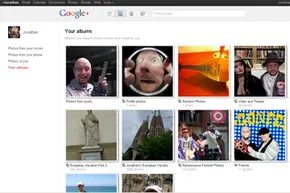
Picasa accounts are free. They tie into your main Google login. You get one gigabyte of storage to start. That’s tight if you shoot in RAW. But here’s the trick. If you upload through Google Plus, that one gigabyte limit doesn’t apply.
Why? Because Google Plus auto-resizes images. It chops the longest edge down to 2,048 pixels. If your photo is bigger than that, Google shrinks it. They don’t count resized images against your quota. This means you can upload as many photos as you want to Google Plus. The space is effectively unlimited for standard web-sized images.
Google accepts any photo with the longest edge measuring 2,048 pixels or fewer without counting it against your limit.
There are rules, though. Albums cap at 1,000 photos. You can make as many albums as you like, but one album can’t hold more than that. Tagging people works. GPS data displays if your phone has a location sensor. You can turn off the GPS tag if you want privacy. But the photos stay. The space doesn’t run out.
Sparks: Curated Content, Not Just Social
Sparks is a weird feature. It’s not social in the traditional sense. It’s a content aggregator. Think RSS, but less ugly.
When you sign up for Google Plus, you select topics. Interests. Subjects. Sparks pulls news stories about those topics directly to your profile. It’s a feed for what you care about. Early reviewers hated it. They called it superfluous. Useless clutter.
But it makes sense if you look at how we consume news now. Pew Research Center data shows we use social networks to filter and share news. We don’t go to newspapers anymore. We go to feeds. Sparks lets you skim those feeds. Click a story. Share it to your stream. Start a conversation.
It’s Google trying to own the news conversation. Not just search. Not just email. News.
The Photo Album Glitch
Early beta versions of Google Plus had a bug. Or a feature that became a bug.
Adding a comment to a photo used to publish the image to the owner’s stream. If you uploaded an album of 100 photos. And 50 people commented. Your stream flooded with 50 photos. Just photos. No text. Just images popping up because someone liked a picture.
If you were popular. If you posted albums often. Your stream became unusable. It was cluttered. Navigation broke. It was messy.
This was the early days. The system wasn’t tuned for volume. But it showed the potential for photo-centric sharing. And the storage limits didn’t matter because the resize feature saved you.
Instant Messaging and Chat History
Google Plus didn’t just rely on status updates for connection. You could pin a message to a friend’s stream, but if you needed real-time two-way communication, the platform leaned heavily on its existing infrastructure. Specifically, it tapped into the Google Talk network.
This integration was seamless for Gmail users. Your chat logs weren’t siloed within the social network; they lived in your Gmail account. This meant you could pull up old conversations later or jump into a chat without even opening the Plus interface. For those who preferred dedicated clients, the protocol supported third-party apps like Pidgin and Digsby, as well as Google’s own standalone messenger.
Video Conferencing via Hangouts
If text wasn’t enough, you had the hangout.
This was Google Plus’s answer to group video calls. The setup was strict: you needed a webcam and a microphone. Headphones were practically mandatory. Without them, you were inviting feedback loops and echo chambers into your conversation.
You could control who saw you. A hangout could be public, restricted to a specific Circle, or locked down to individual users. But there was a hard cap. Ten participants total. Including you. If you had nine friends plus yourself, the door was closed.
Inside the hangout, the layout was dynamic. Each participant got their own video window. The system used audio detection to manage the focal point. The person speaking took center stage, their video enlarging while others shrank. Switch to someone else talking, and the view switched instantly. If multiple people talked at once? Google Plus analyzed the amplitude of the sound waves. The loudest voice won the spotlight.
It wasn’t magic. It was just stream processing. Each user had their own audio and video feed streaming into the service. The server listened. It found the dominant signal. It updated the UI. Simple.
Once the video was flowing, you could also share a YouTube clip. This turned a standard meeting into an impromptu watch party. Users would pull up clips and provide running commentary. It felt like Mystery Science Theater 3000 but with more bandwidth.
Mobile Group Messaging with Huddles
For users on the go, there was the huddle.
This was text-based. It required the mobile version of Google Plus installed on a smartphone. You built a group by adding contacts. When you sent a message, it went to everyone in that circle. Responses bounced back to the group. It turned asynchronous texting into a party chat.
Consider planning a movie night. You create a huddle. You suggest a film. Friends respond. You debate times and locations. The conversation stays in one thread. It’s efficient. It’s also reminiscent of early Twitter interactions or the Beluga app.
But there’s a friction point. Everyone in the huddle needed a compatible mobile device running the app. If one friend was stuck on a feature phone or refused to download the software, they were out. The connectivity was only as strong as the weakest link in the chain.
The “Invite” Loophole
Privacy controls in the early beta days were… creative.
Some users found that the invitation-only system wasn’t as walled off as Google intended. The trick? Use a huddle as a backdoor.
You’d create a huddle and add friends who didn’t have accounts yet. Those friends received a message prompting them to sign up. The message acted as a hook. By clicking through to create an account to join the chat, they bypassed the invitation requirement entirely.
It was a workaround. A clever one. Google noticed. They patched it. The loophole closed. The system tightened.
Next, we’ll look at how Google Plus handles privacy.
Privacy on the web is messy. You have groups like the Electronic Frontier Foundation fighting to keep your data hidden. Then you have figures like Mark Zuckerberg claiming privacy is dead, just a social norm we’ve outgrown. Users are stuck in the middle. How much should you actually give Google?
Their mission is to organize the world’s information. That sounds ominous if you think it means exposing your deepest secrets. But Privacy on Google Plus is largely in your hands. The catch? You must use your real name. It has to be public. That part isn’t negotiable. Otherwise, you decide what stays visible.
Controlling Your Digital Footprint
You can share status updates with everyone. Or just your circles. Or specific people. It’s granular. You must list your gender, but you can hide it. Address? Optional. Email? Yours to control. Phone number? Up to you. Each field has its own privacy toggle. You designate who sees what. It’s not a binary switch; it’s a dial.
There’s a sharing feature. It lets you repost someone else’s status update to your own stream. Google attributes it to your friend. You can turn this off. If you’re venting about your boss or airing grievances about an acquaintance, disable sharing. Otherwise, a friend you trusted to see that post might reshare it. Suddenly, your private complaint is public. The cat’s out of the bag.
Harassment is also a factor. You can add someone to a blocked circle. You won’t see their posts. They can’t comment on yours. They still see your public content, though. That’s the limit. If you just want one annoying post gone from your feed, mute it. It clears the clutter without the nuclear option of blocking.
The Real Name Debate
Using your real name caused a stir. Many people prefer handles. Pseudonyms. Aliases. They wanted to use those for their Google Plus profiles. Google’s terms of service said no. Accounts without real names got suspended.
As of this writing, Google was exploring ways to allow pseudonyms. They hadn’t implemented it yet. It was a point of contention. You had to pick: be yourself, or be nowhere.
Chrome Extensions and Customization
If you’re on Google Chrome, you have more power. Extensions add features to the browser. They don’t matter what site you visit. The info is just a click away. For Google Plus, they can streamline the experience.
Some extensions collapse comment threads. Popular users get tons of feedback. It clogs the stream. These tools hide the noise. Others let you cross-post to Facebook or Twitter. It saves time.
Anyone can build these. You need JavaScript and a developer version of Chrome. Google has a tutorial. It explains how to debug code that doesn’t work. You can host your extension yourself. Or submit it to the Chrome Web Store.
Installation is easy. You pick an extension. You allow it to change Chrome. No restart needed. It takes effect immediately. Uninstalling is just as simple. If you hate the changes, you remove it.
These tools are useful. But they might become obsolete. Google often adds native features that replace third-party fixes. If you think Google Plus needs a feature it lacks, use the feedback link. It’s built right in.
Now, let’s look under the hood.
The user interface is the face. The backend is the muscle.
When you logged into Google Plus, you saw the front end. That’s the UI. It’s where you clicked, posted, and circled. It’s what you interacted with. But it’s just the tip of the iceberg. The real work happened in the dark.
That’s the back end. It lives in Google’s massive data centers. You never see it. You don’t control it. It’s owned and operated by the company.
This invisible side of Google Plus relied on two heavy hitters: Bigtable and Colossus.
The Infrastructure
Bigtable is a distributed storage system. It’s not new. It powers Google Search. It handles the heavy lifting for the internet’s biggest search engine. So when Google Plus needed to store data, they didn’t invent a new wheel. They used what already worked.
Colossus is different. It replaced the Google File System (GFS). GFS was built to crawl the web. It indexed static pages. Colossus was built for speed. Real-time search required real-time storage. Colossus delivers that.
It’s a shift in focus. Static content is history. Dynamic, instant data is the future.
The Code: Java and JavaScript
The platform is built on two languages. Java and JavaScript.
They sound alike. They look somewhat alike. They are not related.
Don’t be fooled by the name similarity. JavaScript did not come from Java. They are distinct tools for distinct jobs.
Java on the Server
Sun Microsystems created Java. It was built for application development. Not academic research. It’s class-based. It’s object-oriented.
What does that mean in practice?
An object combines data, process, and identity. A class is a category for those objects. You group similar things together. C and C++ do this too.
Web developers love Java because of applets. Small programs inside HTML. You can embed them anywhere. They add features to a site without rewriting the whole page.
Google Plus uses Java on the server side. It injects code using Guice. Guice is an injection framework. It removes the need for factories. In Java, a factory protects architecture. It lets other programmers add code without breaking the system. It keeps the structure clean.
JavaScript on the Client
Netscape created JavaScript. It’s a client-side scripting language. Not a full programming language. It runs in your browser.
Just like Java applets, JavaScript code lives inside HTML. It adds functions to a site. But it runs on the client.
Clients are your machine. Servers are Google’s machines.
Google uses a tool called Closure. It streamlines JavaScript. It makes changes faster. Developers can fix UI issues quickly. Speed matters.
Developers use both languages to push web pages further. They don’t conflict. They complement.
The Complexity of Hangouts
Hangouts was the most complex feature.
It relied on XMPP. The extensible messaging and presence protocol.
But it wasn’t just XMPP. It used extensions like Jingle. It used RTP. Real-time transport protocol. It used STUN. Session traversal utilities for NAT. And SRTP. Secure real-time transport protocol.
That’s a mouthful. It’s complicated.
Unlike Skype, Hangouts isn’t peer-to-peer. It doesn’t rely on users’ computers talking directly to each other.
All processing happens on Google’s side. The servers do the work. The engineering is opaque. Nobody knows exactly how much power it takes. Only Google engineers know the numbers.
Will It Last?
The private beta created exclusivity. People wanted in.
That demand drove early interest.
But interest fades.
Will Google Plus become the next Facebook?
Time will tell. The infrastructure is solid. The code is efficient. But popularity is a different metric.
For now, the system runs. The data flows. The servers hum.