Most photo editors demand you learn their language. You need to understand layers, masks, and histograms before you can fix a bad shot. InPixio AI Photo Editor flips that script. It targets people who just want their photos to look good without spending weeks mastering complex software. The secret isn’t magic. It is artificial intelligence doing the heavy lifting.
This tool sits in that sweet spot between beginner-friendly and powerful enough for enthusiasts. You get the standard suite: cropping, color correction, and filters. But the real draw is automation. The AI engine analyzes your image content instantly. It knows what a person is versus what a background is. This allows for precise subject removal and background replacement with a single click. You are not guessing anymore. You are directing.
The interface strips away the clutter. It guides you through steps rather than overwhelming you with panels. This matters because it lowers the barrier to entry. You can achieve professional-grade results without expensive training. The software also offers a vast library of textures, stamps, and frames. Updates are regular. New filters drop in as trends shift. You stay current without digging through forums.
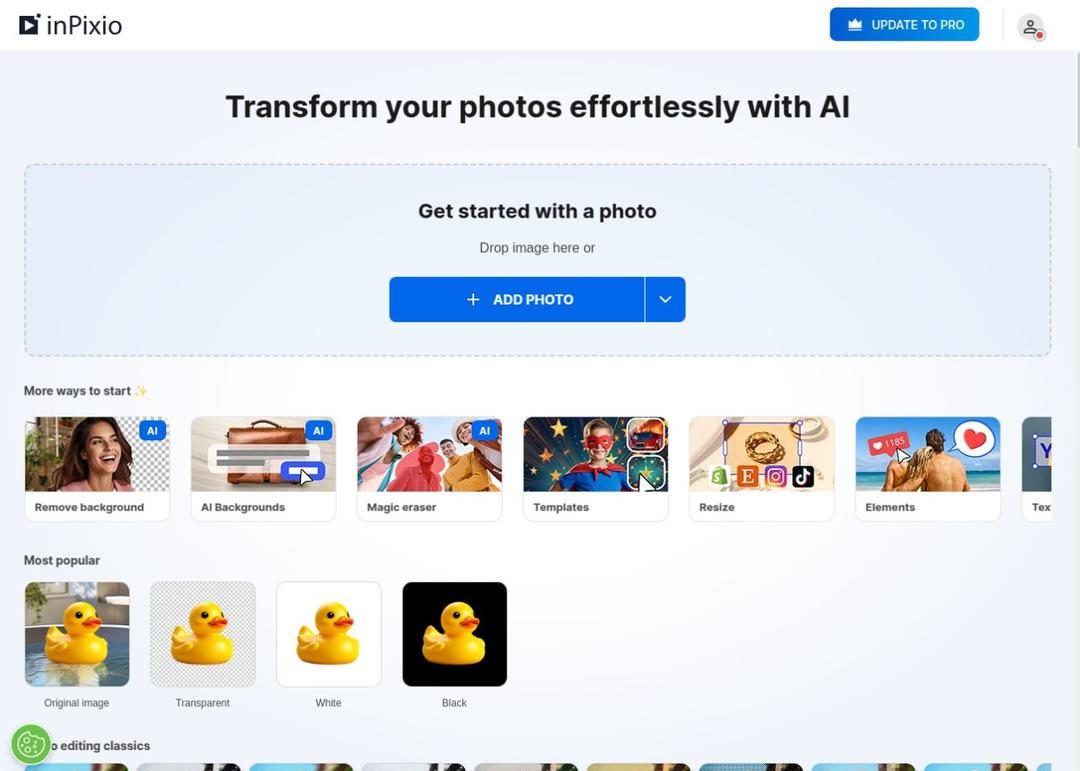
There is a web version too. This is huge for flexibility. You can edit directly in a browser. No installation required. If you are on a public computer or just traveling light, this cloud option keeps your workflow intact. The native app for Windows 10 and 11 ensures high performance for large files. The iOS app covers iPhones and iPads. Data syncs seamlessly. You can start on your desktop and finish on your phone.
Installation and Platform Support
Getting started is straightforward. The process is designed to be secure and simple. You download from the official source. This avoids the malware traps common with sketchy download sites. The native Windows version supports both Windows 10 and Windows 11. This compatibility is not an afterthought. It ensures smooth handling of high-resolution images. You can process large files without the software choking.
For mobile users, the iOS application is the go-to. It installs in minutes from the App Store. The integration with your photo library is transparent. You do not fight with file transfers. The cloud version bridges the gap between platforms. It works across most web browsers. You just need a stable internet connection. This multi-platform approach means your editing experience remains consistent whether you are at a desk or on the move.
Installation itself is basic. Download the file. Follow the on-screen prompts. Done. For the web version, you create an account or log in. There is no complex licensing key to type in manually for the free tier. The software prioritizes security. Each update maintains compliance with operating system standards. You can trust the files you download.
Pricing Models and Access
The software operates on a freemium model. This is standard but important to understand. You can use the free version for basic edits. If you want advanced features, you pay. This tiered approach lets you test the waters. You do not have to commit financially before knowing if it works for you. The free version covers the essentials. The paid version unlocks the full power of the AI tools.
Security remains a priority across all versions. Updates are not just about new features. They are about fixing bugs and maintaining system integrity. This is crucial for protecting your personal images. The developers treat user data with care. You can edit with confidence. The focus is on delivering results quickly. Speed is the main selling point here.
“InPixio AI Photo Editor offers professional results in seconds, not hours.”
This speed changes how you work. You stop worrying about the technicalities. You start focusing on the image. The AI handles the tedious parts. You handle the creative choices. This division of labor is what makes the software stand out. It respects your time. It respects your skill level. It does not talk down to you.
The web version adds another layer of convenience. You can access your projects from any device. This is ideal for collaborative work or quick fixes on the go. The native apps offer deeper integration with your hardware. They use your GPU more effectively. The choice depends on your needs. If you need mobility, go web or mobile. If you need power, go native Windows. Both paths lead to the same result.
Why This Matters for Everyday Users
You do not need to be a photographer to care about image quality. Social media, work presentations, and family archives all demand better visuals. Most people settle for mediocre shots because editing is too hard. InPixio removes that excuse. The AI simplifies complex tasks. Background removal becomes trivial. Portrait enhancement happens automatically. You save time. You get better images.
The variety of filters and frames allows for creativity without effort. You can experiment. You can try things you would never attempt in Photoshop. This encourages exploration. It makes photo editing fun again. The regular updates keep the tool fresh. You are not stuck with old effects. The community-driven nature of these updates means the software evolves with user needs.
For small businesses or content creators, this is a game-changer. You can produce high-quality graphics quickly. You do not need a dedicated design team. You just need the software. The cost is lower than hiring someone. The output is comparable. This democratization of design tools is significant. It levels the playing field.
The compatibility with modern OS versions ensures longevity. Your computer will not become obsolete. The software keeps up with updates. You get new features without buying new hardware. This sustainability is often overlooked. It adds value over time. You are investing in a tool that grows with you.
There is no perfect tool for everyone. But for those who want speed and simplicity, this hits the mark. The learning curve is flat. The results are sharp. The interface is clean. It does exactly what it promises. You edit photos. You get good results. You move on to the next task. That efficiency is valuable in a busy world.
The web version adds a safety net. If your main computer crashes, you can still access your work. This resilience is practical. It reduces anxiety about data loss. The cloud sync ensures your projects are safe. You can switch devices without losing progress. This flexibility is rare in desktop-only applications. It makes the workflow robust.
Ultimately, the choice comes down to your priorities. Do you want total control? Or do you want speed? InPixio offers a balance. You can tweak parameters manually. You can also let the AI handle everything. You decide. This hybrid approach respects user agency. It does not force you into a box. It gives you options.
The market is crowded with editors. Many promise AI magic. Few deliver. InPixio is one of the few that actually uses the technology to solve real problems. It does not just add a filter. It understands the image. This understanding changes the output. The results look natural. They do not look processed. That distinction matters.
You will find yourself using it more often. Not because you have to. But because it is easy. The friction is gone. You open the file. You make the change. You save. The process is smooth. It feels like cheating. But it is just smart software. And that is worth celebrating.
How InPixio AI Photo Editor Pricing Compares to Photoshop and GIMP
Most photo editors force you to choose between a stripped-down free tier and a subscription that drains your wallet. InPixio AI Photo Editor takes a different route. The free version isn’t a gimmick. It gives you the basics.
You can crop images. Adjust brightness. Fix color balance. Apply standard filters.
It works well for students. It’s fine for casual users who just want to fix a blurry group shot. But if you need the heavy lifting, you hit a wall.
Removing backgrounds with pixel-perfect precision? That’s locked behind a paywall. Premium filters? Also paid. You need a Pro or Ultimate license to unlock the real AI power.
Which InPixio License Should You Buy?
InPixio offers annual and perpetual licenses. This matters if you hate recurring charges.
Perpetual means you buy it once. You own it. Annual means you pay yearly for updates and support. Both tiers give you priority technical support. You can install the software on multiple devices. You get the latest AI features.
The cost is significantly lower than Adobe Photoshop. It’s cheaper than Luminar AI. For users who want AI-driven editing without the enterprise price tag, InPixio is a credible alternative.
Try before you buy.
InPixio usually provides trial versions. You can test premium features for a set period. It removes the guesswork.
Students and schools might get a discount. You have to ask. Proof of enrollment is required. It’s not automatic.
Keeping InPixio AI Photo Editor Updated
Software rots if you leave it alone. InPixio handles updates differently.
When you open the app, it checks for new versions. An update pops up. You accept. The new features install immediately.
No hunting for download links. No manual version control.
But what if an update breaks your workflow? Or you just prefer the old interface?
You can contact support. You can look for official archives. Be careful. Downloading old builds from third-party sites is a security risk. Stick to official channels.
InPixio vs. GIMP and Photoshop Elements
The market is crowded.
GIMP. Deep settings. Steep learning curve.
Photoshop Elements. A middle ground. Still complex.
Luminar AI. Heavy on AI, heavy on cost.
InPixio sits in a sweet spot.
It prioritizes speed. You don’t spend hours tweaking curves. The AI does the work. The interface is clean. The filter library is extensive. It’s built for the mass market, not professional retouchers.
Compared to Photoshop, InPixio doesn’t try to do everything. It automates the tedious stuff. Background removal. Noise reduction. These take forever manually. InPixio does them in seconds.
Where to Find InPixio AI Photo Editor Tutorials
You don’t need a degree to use this software. But you might need a guide.
InPixio provides resources directly in the interface. Video tutorials. Step-by-step guides. Articles in the knowledge base.
These aren’t just marketing fluff. They help you understand the tools. If you’ve never edited a photo before, it helps.
External partners offer certification courses. These are for people who want to turn photo editing into a skill. Or a career. They’re not required. But they add value if you’re serious.
Getting Help When Things Go Wrong
Tech support exists.
It’s available through the official website. The user community is also active.
Common issues are easy to solve. Installation problems. License activation errors. Tips for better edits.
The support structure is part of why InPixio is gaining traction. It’s not just the AI. It’s the ease of access. The regular updates. The fact that it doesn’t feel like a chore to use.
Is it enough for a professional studio? Probably not.
For everyday users who want high-quality results without the headache? It’s a solid choice.
The line between amateur and pro is blurring. AI tools are erasing the gap. InPixio is just one player in that race.
But it’s playing fast.

You need to know the nuts and bolts before you commit to InPixio AI Photo Editor. It’s not just about slapping on a filter. The software relies on machine learning to automate the tedious parts of retouching. It handles background removal and object deletion with surprising speed. But it doesn’t abandon precision. You still get manual controls for those who refuse to let a bot decide their composition.
The real selling point here is accessibility. It’s a multi-platform tool. You can run it on a Windows PC. You can pull it up on an iPhone or iPad. Or you can just open it in your browser. No installation needed for quick fixes. This flexibility matters if you switch devices often.
How the Licensing and Formats Work
The distribution model is standard freemium. The free version covers the basics. You can do some serious work without paying a dime. But if you want the advanced selective editing tools? That’s where the paid tiers come in. They unlock granular background management and higher-resolution exports.
Compatibility is surprisingly broad. It handles standard JPEGs and PNGs. TIFFs are supported too. More importantly, it reads RAW files from major camera brands. This matters for photographers who need a bridge between their DSLR and quick social media edits.
Internet access plays a specific role here. You need it to activate the license. You need it for cloud features. Updates also require a connection. The local desktop version can process images offline once installed. But don’t expect full functionality without that initial handshake with their servers.
What Your Device Needs to Run It
Here is the breakdown. Keep this handy if you are deciding whether to download the desktop app or stick to the web version.
Core Specifications
- Software Name: InPixio AI Photo Editor
- Developer: Avanquest (brand: InPixio)
- License Type: Freemium (Free tier + Pro upgrades)
- Category: Multimedia, Photo Editing, AI-assisted Retouching
Operating Systems and Access Points
- Desktop: Windows 10 and Windows 11. It requires a standard configuration for everyday use. There is a free disk space requirement, but it isn’t massive.
- Mobile: iOS devices. Specifically iPhone and iPad. The interface adapts for touch input.
- Web: Browser-based service. Works on modern browsers. No local install required.
Supported File Types and Export Options
The editor ingests common image formats. JPEG, PNG, and TIFF are native. RAW files from popular cameras are also supported. This reduces the need for external converters before editing. When you are done, you export back to JPEG, PNG, or TIFF. You control the quality and dimensions. This gives you enough flexibility for both web and print needs.
Connectivity and Interface
- Language Support: Multilingual. Includes French and English.
- Input Methods: Keyboard and mouse for PC. Touch controls optimized for iOS.
- Internet Role: Required for activation, updates, and cloud sync. Local editing is possible offline on the desktop app.
- Support: Knowledge base, tutorials, and direct editor support are available.
Updates roll out regularly through the app itself or the respective app stores. The team seems to keep it current. For most users, the web version is enough for occasional tasks. The desktop app is better if you edit large batches of RAW files frequently.
The line between automated and manual is blurry in InPixio. It learns as you work. But it doesn’t replace the eye of the editor. It just speeds up the repetitive stuff. Which means you spend less time clicking and more time creating.
If your current setup meets these specs, you’re good to go. If you’re on an older Windows machine, test the web version first. It’s lower risk. The desktop app is powerful, but it demands a bit more from your hardware.
There’s always a trade-off between convenience and control. InPixio tries to split the difference. Whether it succeeds depends on how much you trust the AI to handle the heavy lifting.




The hidden cost of compliance fatigue
You think you’ve checked the boxes. The data is encrypted. The access logs are clean. The vendor signed the DPA. But compliance isn’t a destination. It’s a tax. A continuous one.
Most enterprises treat security frameworks like a checklist to be completed once a year. Then forgotten until the next audit. This mindset leaves massive gaps. Specifically in how data moves between systems. Between clouds. Between the tools you pay for and the tools you actually use.
This is where the real friction lives.
Why standard controls fall short
Traditional security controls are static. They look at the perimeter. They look at the endpoint. They rarely look at the flow. The moment data leaves your primary database and enters a third-party analytics tool, your visibility drops. You assume the vendor is safe. You hope they are.
But hope isn’t a strategy.
The issue isn’t just about encryption at rest or in transit. It’s about context. Who accessed this record? Why? From what IP? And more importantly, did that access trigger a downstream action that propagated the data further? Most SIEMs (Security Information and Event Management systems) struggle with this chain of custody. They see the login. They miss the implication.
This creates a blind spot. A quiet one. Until it doesn’t.
The rise of policy-as-code
Enter policy-as-code. It sounds like dev-speak. But it’s changing how we think about governance. Instead of writing a PDF document that says “users must not have admin rights,” you write a script that enforces it. If the script detects a violation, it blocks the change. In real-time.
This shift matters because it aligns security with how software is actually built. Developers don’t read 50-page compliance manuals. They read code. If you can express compliance requirements as code, you catch violations before they reach production.
Consider a scenario where a developer accidentally exposes a S3 bucket. Traditional tools might flag this during a scan. Policy-as-code can prevent the commit entirely. It’s the difference between catching a leak after the floor is flooded and stopping the pipe before it bursts.
Comparing the approaches
| Feature | Traditional Policy Docs | Automated Scanning | Policy-as-Code |
|---|---|---|---|
| Enforcement | Manual / Reactive | Post-deployment | Pre-commit / Real-time |
| Visibility | Low (Static) | Medium (Snapshot) | High (Continuous) |
| Flexibility | Rigid | Moderate | Dynamic |
| Audit Readiness | High effort | Medium effort | Low effort (automated evidence) |
The comparison is stark. Manual policies are slow. Automated scanning is good but late. Policy-as-code is proactive. It treats security as a feature, not a hurdle.
The human element remains
But code doesn’t replace judgment. It just speeds up the obvious checks.
The harder part is defining what “safe” actually looks like for your specific context. A rule that makes sense for a fintech app might break a creative agency’s workflow. The challenge isn’t writing the code. It’s negotiating the business logic behind it.
Who decides that a certain data field is “sensitive”? The legal team? The CTO? The product manager? When