Most people confuse the Coinbase exchange with its separate wallet product. That is a mistake. The exchange holds your keys. The wallet does not. This distinction matters. If you lose your exchange password, your funds are stuck in customer service limbo. If you lose your wallet seed phrase, you own the problem. But at least you own it.
Base, often just called Coinbase Wallet, is built for self-custody. It is non-custodial. That means you hold the private keys. No third party. No bank. No intermediary. This setup appeals to anyone who believes in the ethos of decentralized finance. It also appeals to people who are tired of exchange hacks.
Accessibility and Platform Support
The wallet is not locked to one device. You can download it on iOS. Android users get the same app. It works as a browser extension for Google Chrome. This multi-platform approach lowers the barrier to entry. You can manage assets on a phone. Or a tablet. Or a desktop computer.
“Self-custody means you are your own bank. It also means you are your own security team.”
This freedom comes with responsibility. There is no “forgot password” button that resets your crypto. You are the only admin. The interface tries to soften this blow. It is designed to be intuitive. Beginners can navigate it without a PhD in cryptography. Power users find the depth they need.
Asset Support Beyond Bitcoin
You are not limited to Bitcoin. The wallet supports Ethereum and Litecoin. It also handles tokens built on Ethereum’s infrastructure. This includes ERC-20 tokens. It includes ERC-721 tokens. This category covers most of the altcoin market and many NFTs.
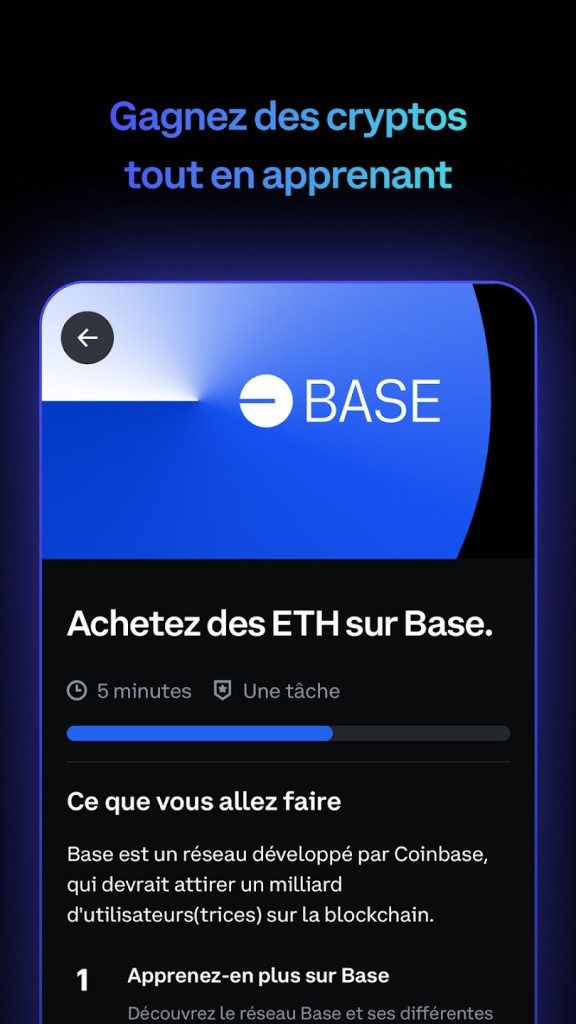
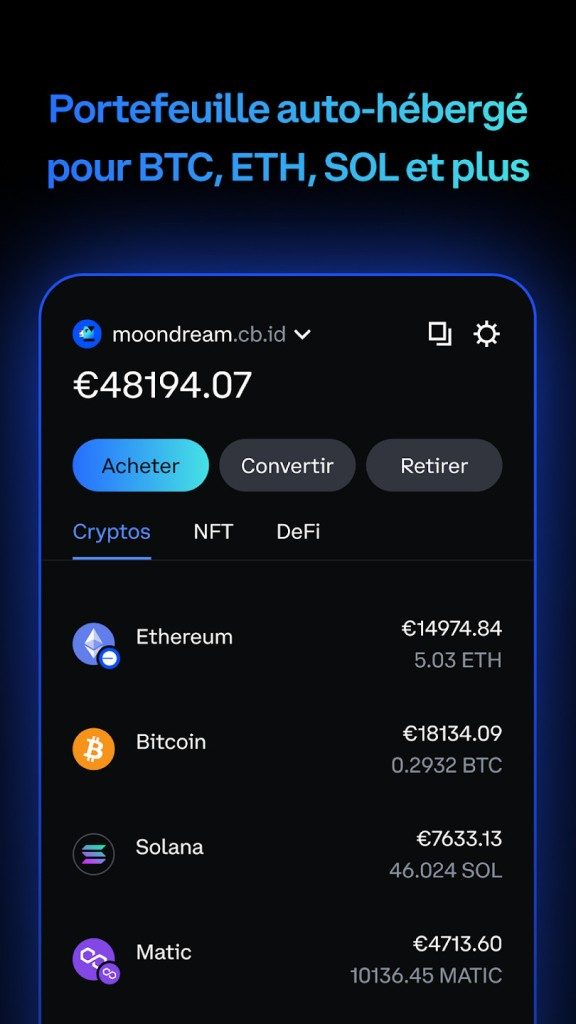
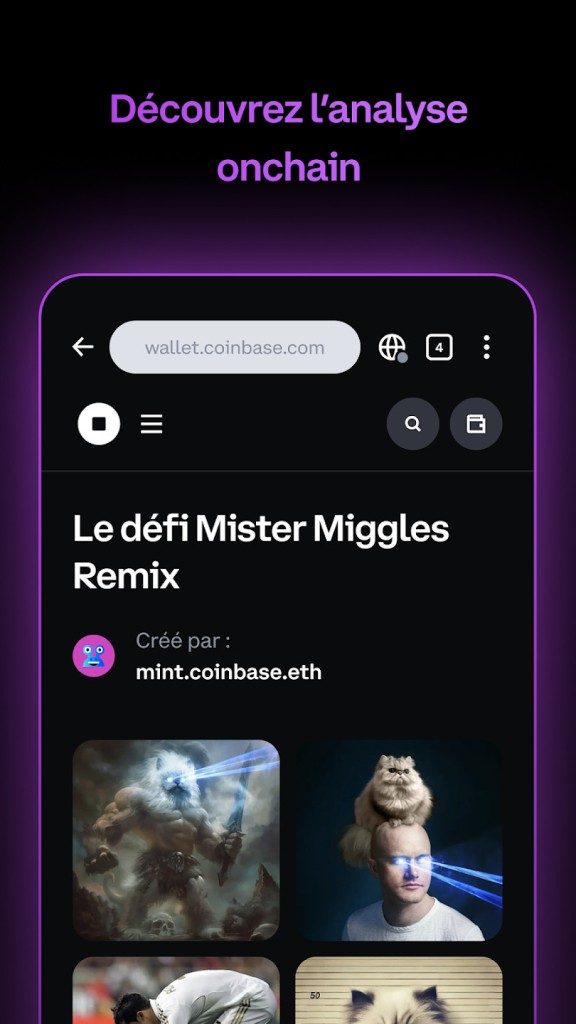
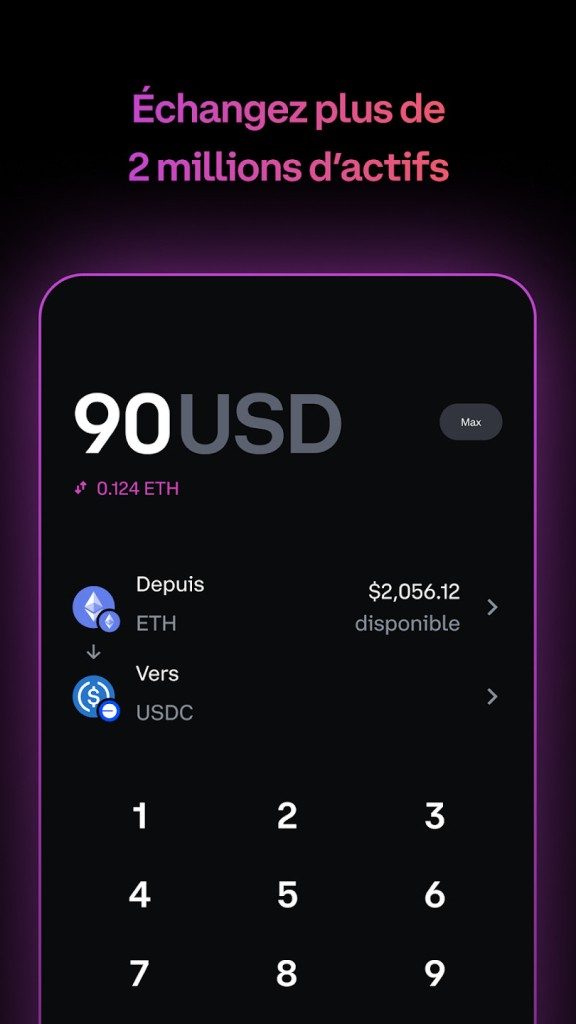
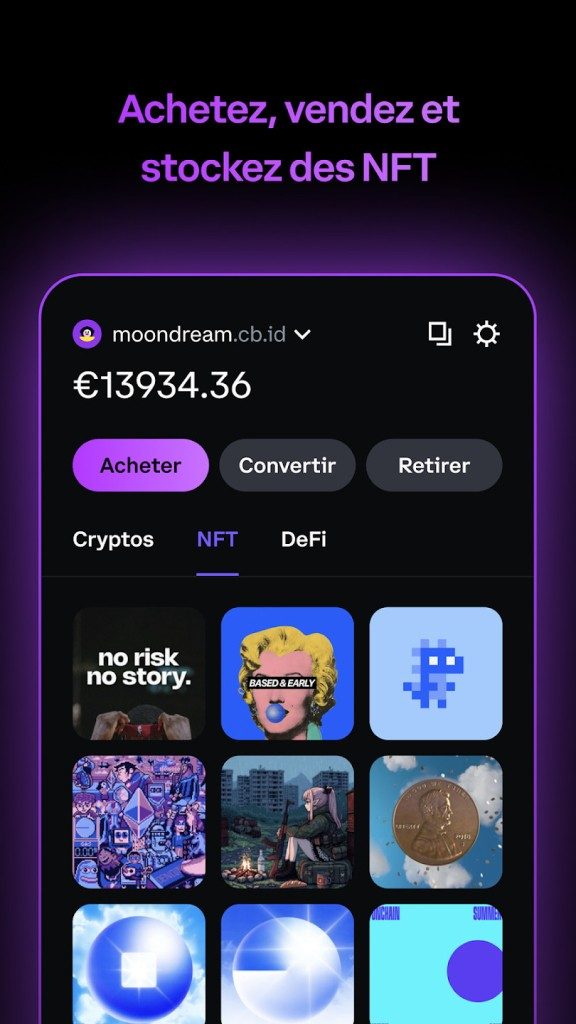
You can buy. You can sell. You can transfer. These are standard functions. But the wallet does more. It lets you view your NFTs directly. You can interact with decentralized applications (dApps) without leaving the ecosystem. Staking is available for eligible assets. You can generate yields on your holdings. All of this happens on-chain. The wallet just provides the window.
Security is Not an Afterthought
Security defines the product. Passwords are the first line of defense. Biometrics help on mobile devices. Fingerprint scans. Face ID. These make daily access convenient.
The real safety net is the seed phrase. This is a recovery phrase. It allows you to restore your wallet if you lose your device. You must write it down. You must store it securely. If you lose it, your funds are gone. Forever. There is no recovery.
If your phone is stolen, you can remotely disable the wallet. This prevents unauthorized access. The non-custodial model ensures that no single entity holds your funds. This protects against institutional failure. It also protects against insider threats.
Who Is This For?
The wallet targets two groups. First, investors who want to secure their crypto holdings. Second, blockchain enthusiasts who want to interact with the wider ecosystem. DeFi users need this level of access. NFT collectors need this level of control.
The platform updates regularly. This keeps it compatible with new blockchain innovations. It tries to balance security with ease of use. The result is a tool that feels modern. It feels robust.
The question remains whether the average user is ready for this responsibility. The technology is ready. The interface is clean. But the risk is real. One typo in a seed phrase. One lost device. One phishing attempt. The consequences are permanent.
For those willing to take the risk, the payoff is total control. You decide. You manage. You bear the cost.
How to Install Coinbase Wallet on Android, iOS, or Chrome
You want to manage crypto assets without handing over control? Base (Coinbase Wallet) offers a secure, intuitive route to decentralization. It simplifies transactions. It protects your funds. You just need a few clicks.
Downloading is free. Period. There are no hidden fees for the software itself. You get the full suite of basic tools—adding assets, swapping tokens, transferring value—for zero subscription cost. Any costs you see are strictly blockchain-related. Think gas fees on Ethereum. Or specific operational fees for certain third-party integrations. The app doesn’t charge you to exist.
Where to Download Safe Versions
Don’t guess. Go to the source. Official stores only.
For Android? Google Play.
For iPhone or iPad? The App Store.
For desktop users? The Chrome Web Store extension.
There is no native desktop client for Windows, macOS, or Linux. You might see knockoffs. Ignore them. Stick to the Chrome extension if you are on a traditional OS. It lets you access your funds and manage your wallet directly from your browser. No mobile app required. This cross-platform flexibility is why adoption is growing. It meets users where they are.
Installation Steps: Mobile vs. Desktop
Mobile installation is straightforward. Open your store. Search for the official app. Tap install.
First launch demands a choice. Create new wallet. Or restore an existing one. You will need a seed phrase for restoration. This step is critical. It separates Coinbase Wallet from the centralized Coinbase exchange. You do not need an exchange account. You are your own bank here. The app handles security standards for modern mobile environments. It respects that.
Desktop is similar but lives in your browser. Install the extension. Click through the setup. Import keys. Secure your private keys or seed phrase. It takes seconds. The interface adapts for multi-asset management. You can interact with dApps. You can handle NFTs. It is a visual hub for your decentralized life.
Compatibility and Security Warnings
The software covers major formats. Android and iOS get full apps. They follow current mobile security norms. Chrome extension users get a robust interface.
But there are gaps. No official clients for Firefox, Safari, or Edge. No standalone desktop software for Mac or PC. This creates a vulnerability window. Scammers love it. They create fake download links. They mimic the interface.
Stay vigilant. If it is not from the official stores or the Chrome Web Store, do not touch it. Exposing your private keys to a fake app is catastrophic. There is no “undo” button in decentralized finance. One wrong click, one downloaded trojan, and your assets are gone. The free access is a feature, not a trap. But the responsibility for verification lies entirely with you.
Why This Structure Matters
Why no native desktop app? It forces a reliance on the browser ecosystem. This is intentional. It keeps the software lightweight. It reduces the attack surface compared to a heavy native executable. It aligns with how Web3 actually operates. In the browser. Connected via extension. Not sitting in your start menu.
Does this inconvenience anyone? Maybe. If you prefer standalone apps over extensions, you are out of luck on desktop. But for mobile users, the experience is optimized. It is fluid. It works.
Is it worth the trade-off? Most users say yes. The security model is stronger. Your keys stay on your device. They never leave. You control the entry point. The extension acts as a bridge. Not a vault. Just a bridge.
“Any costs that may arise are solely related to transaction fees inherent to the used blockchain… or specific operations carried out through the platform.”
The cost structure is transparent. You pay the network. You don’t pay the wallet provider. This model is standard for non-custodial wallets. It should be. It aligns incentives. The provider doesn’t profit from your trade volume. They profit from adoption. And maybe some premium services down the line. But right now? It is free.
So, where do you go next? If you are on mobile, grab the app. If you are on a computer, hunt down the Chrome extension. Verify the URL. Check the developer. Then proceed.
The ecosystem is shifting. Multi-platform support is becoming the norm. But official channels remain the only safe harbor. Don’t take shortcuts. Your keys are your responsibility. The wallet is just the tool. Keep it clean. Keep it secure. And watch what happens when you finally take control.
Keeping Coinbase Wallet Current and Supported
The crypto world moves fast. If your software doesn’t, you fall behind. Coinbase Wallet developers don’t sleep. They push updates for security patches, new token support, and new blockchain integrations constantly. You want the latest version. Always.
Mobile users need to enable automatic updates in their app store. It’s a one-time setting that pays off later. Chrome extension users have it even easier. The update happens automatically upon official release. No clicks required.
But what if you need an older version? Maybe your phone is ancient. Maybe the new UI is too cluttered. You might try to roll back. Don’t. Old versions have known vulnerabilities. They break with new blockchain standards. If you absolutely must go back, get the APK or extension from official, trusted channels only. Sideloading from random forums? That’s how you lose your keys.
Support is there, though. Not human hand-holding for every click, but robust resources. Documentation. Knowledge bases. FAQ sections. The official guides walk you through installation and advanced multi-asset management. For deeper learning, there are free educational modules in the help center. Plus certifications for the centralized exchange side if you want to get serious.
When things go wrong, or you suspect a glitch, you can force a refresh. Manually update via the mobile store. Uninstall and reinstall the browser extension. It’s not elegant. It works. It ensures you’re running the latest security protocols. That’s the baseline for trust in self-custody.
Why Self-Custody Changes the Rules
Here is the real difference. Coinbase Wallet isn’t an exchange. It’s not like Coinbase Exchange. The exchange holds your keys. You trust them with your money. Coinbase Wallet? You hold the keys. Total control.
This isn’t just marketing fluff. It’s a structural shift. With a custodial wallet, if the platform freezes, your funds freeze. With Coinbase Wallet, the risk is on you. Specifically, the safeguarding of your recovery phrase. Lose that phrase? Gone. No support team can reset it. No password reset. Just gone. This requires a shift in mindset. You are your own bank. And banks don’t forgive carelessness.
Compare it to MetaMask or Trust Wallet. Those are competitors, yes. But Coinbase Wallet plays a different tune. It integrates tightly with the Coinbase exchange ecosystem. You can move assets between the exchange and the wallet seamlessly. It’s built for people who want to dive into DeFi without juggling twenty different apps. Centralize your decentralized finance activity in one modern interface.
What can you actually do with it?
– Store crypto securely.
– Send and receive transactions.
– Stake assets for yield.
– Collect and manage NFTs.
It’s a toolkit for self-sovereignty. But it demands discipline. Follow the security recommendations. Write down your recovery phrase. Store it offline. Use strong passwords on your devices. Treat it like physical cash. If you leave your physical cash on a park bench, you lose it. The same logic applies to your digital wallet.
The technology is reliable. The team is active. But the human element? That’s still the weakest link. Stay sharp. Keep your phrase safe. And remember, freedom comes with responsibility.
Why technical specs actually matter for non-custodial wallets
Most people skim past the technical details. They shouldn’t. Before you let Base (Coinbase Wallet) touch your portfolio, you need to understand where your keys live and how the software actually behaves. It’s not just about downloading an app. It’s about security architecture.
This is a non-custodial wallet. That means Coinbase doesn’t hold your funds. You do. Your private keys stay local. They don’t get uploaded to a cloud server. This distinction is everything if you care about self-sovereignty.
System requirements and platform support
You aren’t locked into one device. The software works across a fragmented ecosystem. That’s a feature, not a bug.
- Mobile: Android and iOS. It runs on recent hardware. If your phone’s OS is supported by the official stores, the wallet will likely run fine.
- Desktop: Google Chrome extension. For power users who want a browser-based interface.
- Web: Online service access.
There’s no heavy installation process. The minimum configuration is basically just a modern device. You don’t need a server-grade machine to check your balance. You don’t need a supercomputer to sign a transaction.
The standards that make interoperability possible
Why does this wallet talk to other apps? Standards. It relies on open protocols. This isn’t a walled garden.
It uses BIP-39 for your recovery phrase. That’s the industry standard for mnemonics. If you back up your wallet using this standard, you can restore it on any other BIP-39 compatible wallet. You’re not trapped.
For assets, it supports:
– ERC-20: The standard for fungible tokens.
– ERC-721 and ERC-1155: The standards for NFTs.
It also uses WalletConnect. This is crucial. It allows your mobile wallet to securely connect to dApps on a desktop browser without exposing your keys. It keeps the handshake secure.
Security model: Local keys, local control
Your keys are stored locally. Period. They are never shared with the editor. Coinbase doesn’t have a backdoor. They don’t have your seed phrase.
Access is controlled by:
1. Your device’s passcode.
2. Biometrics (fingerprint or face ID).
3. Your recovery phrase.
If you lose your device, you’re not screwed. As long as you have the phrase, you can restore access. If you lose the phrase and the device, your funds are gone. That’s the risk of self-custody. You trade convenience for control.
Costs and connectivity
There’s no subscription fee. You don’t pay a monthly bill to use the tool. It’s free software.
You do pay network fees. Gas fees. These go to the blockchain validators, not Coinbase. The cost varies by network. Ethereum mainnet fees can be high. Layer 2 networks or cheaper chains will cost less.
You need an internet connection. Always. You can’t sign transactions offline in a meaningful way that broadcasts to the network. Synchronization requires connectivity. So does accessing dApps.
Who is this actually for?
It’s not just for hodlers. While you can store BTC and ETH, the real power lies in interaction.
- DeFi users: You can connect to decentralized exchanges.
- NFT collectors: You can manage and trade non-fungible tokens.
- dApp browsers: You can navigate the decentralized web directly.
You don’t need a Coinbase Exchange account. The wallet stands alone. It’s independent.
The bottom line
Base (Coinde Wallet) offers portability. It offers open standards. It offers local security.
It fits into a workflow where you want to interact with the blockchain without giving up custody. If you’re comfortable managing your own keys, it’s a viable option. If you want a hand-holding experience where someone else holds your keys, look elsewhere.
The tech is solid. The standards are respected. The freedom is real.
What happens when a protocol updates? Or when a new
The Hidden Cost of Convenience in Modern Apps
We are not just using software anymore. We are renting our attention.
The business model has shifted. It is no longer about selling a license key and walking away. It is about subscription fatigue. You pay monthly. You get updates. But you also get tracked.
This is the reality of SaaS (Software as a Service). You might think you own the tool. You do not. You are a subscriber in a marketplace where churn is the enemy. Companies like Adobe, Microsoft, and even smaller niche developers have moved away from perpetual licenses. The upfront cost was high. The recurring revenue is reliable.
For the developer, this is a lifeline. It provides steady cash flow. It allows for continuous improvement without the need to release a massive, expensive version every two years. For the user, it is a different story.
Why Your Wallet is Always Open
The friction of payment has disappeared.
Clicking “subscribe” feels easy. It feels small. $10 a month is nothing. $20 a month is manageable. But when you stack them, the number grows.
- Creative Cloud subscriptions
- Office 365 licenses
- Cloud storage services
- Project management tools
- Antivirus software
Add them up. The average user might spend $50 to $100 a month on digital services they barely notice until the bank statement arrives. This is not accidental. It is designed.
“The goal is to make the payment feel like a non-event.”
Security: The Double-Edged Sword
Centralized data is convenient. It is also vulnerable.
When you keep everything in the cloud, you create a single point of failure. If a company suffers a breach, your data goes with it. Not just photos. Documents. Spreadsheets. Personal identifiable information.
On-premise solutions used to mitigate this. You kept the data on your own servers. You controlled the access. You managed the backups. It was hard work. It was annoying. It was secure.
Now? You trust a third party to keep your secrets. Do you?
The trade-off is clear. Convenience for control. You get accessibility from anywhere. You lose the ability to say “no” to the server.
The Privacy Price Tag
Let us talk about data.
Most free or low-cost apps make their money by selling insights. They know what you buy. They know when you are active. They know where you are.
Even paid apps do this. It is part of the analytics engine. Usage data helps them improve the product. It also helps them refine their advertising models.
If you are paying for privacy, look for end-to-end encryption. Look for companies that do not sell data. It is a niche market. It costs more. But it is the only way to ensure that your digital footprint remains yours.
What Happens Next?
The trend is not reversing.
AI integration is the next wave. These models require massive compute power. You cannot run them on your laptop anymore. They must be cloud-based.
This means more data leaving your device. More dependence on remote servers. More vulnerability to outages.
You are not just buying software. You are buying into an ecosystem. And ecosystems are designed to keep you inside.
Can you opt out? Technically, yes.