
Wireless internet is arguably the single most impactful technological shift of the last hundred years. It powers the smartphones in our pockets, the laptops on our desks, and the GPS systems in our cars by routing data through the air. But let’s be clear: the technology is far from flawless. It is constantly at war with interference from competing signals, physical barriers, and even the weather itself.
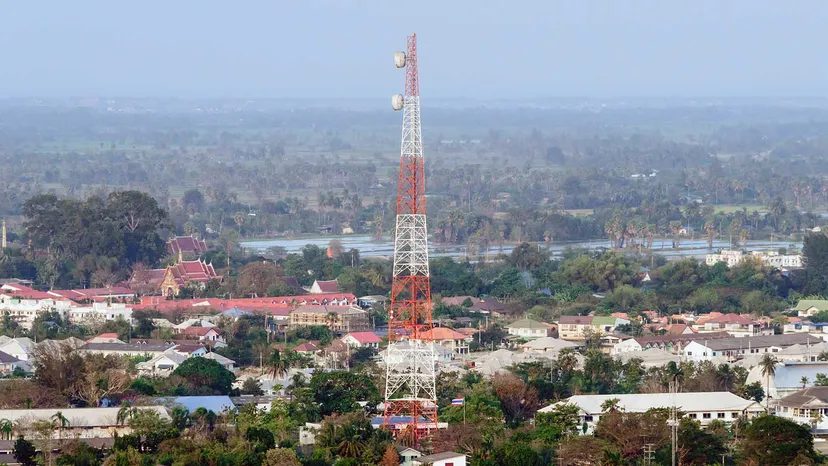
To grasp why your connection drops, you have to look at the mechanics. Transmitters—whether they are cell towers, satellites, or radio stations—send electromagnetic waves (often referred to as ultrasonic in this context) to be captured by your device’s antenna. Ideally, the transmitter needs a clear, unbroken line of sight to the receiver for peak performance. This necessity explains why cell towers are built so tall and why satellite constellations distribute spacecraft across various orbital points.
Real-world conditions rarely cooperate. As signals travel toward your device, they weaken. Dust particles in the air, dense tree canopies, and the drywall in your home all contribute to this degradation. Electromagnetic waves struggle to penetrate solid objects. Instead of passing through, the waves get deflected and fragmented. The result is familiar frustration: static in your car radio or packets of data vanishing into the ether during an important video call.
When data packets are lost, the protocol forces the transmitter to resend them. This retransmission cycle eats up bandwidth and time, directly lowering your download speeds.
Weather exacerbates this issue significantly. Rain, fog, clouds, and even dense moisture in the air act as physical obstacles. These elements break apart and deflect the signals traveling between the source and your receiver, further weakening the connection.
Why Weather Affects Satellite Signals the Most
The impact of atmospheric conditions is not uniform across all wireless technologies. Satellite signals are particularly vulnerable.
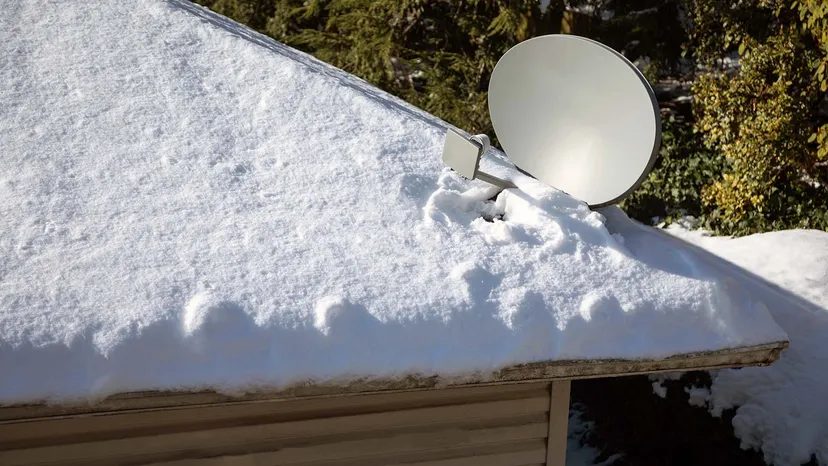
The Rain Check on Satellite Internet
Satellite internet is a lifeline in remote zones, but it has a glaring vulnerability that fiber and cable don’t share: the sky itself. When the weather turns violent, that wide-area coverage becomes a liability. The signals have to travel through the atmosphere to hit your dish. Clear skies? Fine. Thunderstorms? Not so much.
Heavy rain and thick clouds absorb and scatter the radio waves. This isn’t a minor glitch. It’s weather interference with satellite internet at its most aggressive. You might see speeds dip, or the connection could vanish entirely for minutes at a time. It’s an inherent trade-off. You get access where no other infrastructure exists, but you pay for it with reliability during storms.
Ice is another silent killer. If the storm leaves a coating of ice on the dish, it blocks the signal entirely. High winds can knock the alignment off by even a fraction of a degree. If your internet is still down after the rain stops, check the dish. A misaligned antenna or a frozen lens will kill your throughput just as effectively as a cloud.
There is no software fix for physics. If you need a connection that won’t drop when a hurricane passes through, satellite is the wrong tool. You have to wait it out, or switch to a transmission medium that doesn’t care about precipitation.
Cellular Data: Towers vs. Terrain
Cellular networks—4G and 5G—face similar atmospheric challenges, but the geometry is different. The towers are on the ground. The clouds are high above. In most cases, rain doesn’t block the signal because the waves travel through clear air before hitting the receiver.
However, thick fog or torrential rain can still chew up your signal bars. The effect is less catastrophic than with satellite, but it’s noticeable. If you’re far from the tower, the margin for error shrinks. You lose signal not just because of the weather, but because the signal was already weak.
Lightning is the rare exception. A direct strike can fry the tower’s transmitter, causing a localized blackout. But this is an infrastructure failure, not a weather-dependent signal attenuation.
For most users, the real enemy of cellular data isn’t the rain. It’s the stuff on the ground. Trees, tall buildings, and even large bodies of water can scatter or block radio waves. This is why reception varies so wildly from block to block.
Distance matters most, especially for 5G. Higher frequency bands offer blistering speeds, but they have a short effective range—roughly 1,500 feet. If you’re outside that sweet spot, the signal struggles to penetrate obstacles. The technology promises ubiquity, but the physics of millimeter-wave propagation keeps it tethered to dense urban cores or specific rural repeaters.
Which is worse? A storm killing your satellite link, or a tree blocking your 5G? It depends on where you live. But both prove that “wireless” is a misnomer. The medium still has to get there.
Does Rain Actually Kill Your WiFi Signal?
The short answer is no. Your router isn’t losing strength because it’s raining outside. The weather doesn’t touch the radio waves traveling from your device to the modem inside your house. Walls do that. Distance does that. Rain does not.
But here is where the confusion usually starts. While your local WiFi signal stays strong, the actual internet you get from it might not.
Your router is just a wireless speaker broadcasting data. That data has to come from somewhere. It comes from your Internet Service Provider (ISP). If that backhaul connection gets disrupted by severe weather, your WiFi looks dead. The signal bars on your phone are full. The data stream is empty.
Why Your Connection Drops When It Storms
WiFi relies on line of sight and distance. It’s a simple, brutal physics equation. The further you are from the router, the weaker the signal. Walls, floors, and even large appliances eat away at that signal.
If your device is connected to an outdoor repeater or if your router is mounted near a window, weather becomes a factor. Heavy rain or thick fog can scatter the higher-frequency radio waves. This isn’t about the signal getting “wet.” It’s about atmospheric interference.
Rain absorbs microwaves. If your router’s signal has to pass through a thick layer of precipitation to reach an outdoor access point, the signal degrades.
This is why outdoor hot spots at concerts or parks often fail during severe weather. The infrastructure is exposed. The weather disrupts the wireless link between the access point and the core network. Your home router is shielded. Your ISP’s equipment might not be.
The Fix (If You’re Not Ready to Rewire)
If you’re blaming the weather for a slow connection, check your source first.
- Run a hardwired connection. Plug a computer directly into the modem. If the speed is still slow, the issue is the ISP, not your WiFi.
- Install multiple access points. This creates a mesh network. It covers more ground and reduces the chance that a single weak point causes a drop.
- Use a WiFi booster. This is the quick fix. It extends the range of your existing router. It doesn’t make the signal faster, but it makes it available in more places.
A Quick History Lesson
This whole wireless dance wasn’t always this reliable.
Radio waves were discovered by German physicist Heinrich Hertz in the late 1880s. It took less than a decade for someone to figure out how to use them. In 1895, Guglielmo Marconi built a machine that sent Morse code telegraphs over the air. By the 1920s, wireless tech was everywhere.
We’ve come a long way from Morse code. But the basic physics haven’t changed. Radio waves still travel in straight lines. They still get blocked by things. And they still get scattered by things in the air.
So next time your video buffers during a storm, don’t yell at your router. Check the weather map. And maybe call your ISP.