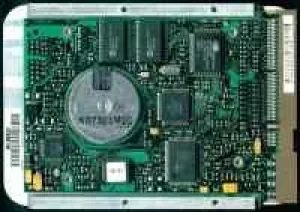
Think of a hard drive as your computer’s long-term memory. It holds everything from the operating system to your personal photos, keeping data intact even when the power is cut. For decades, this magnetic mass storage device has been the go-to solution for storing large volumes of information securely and affordably.
The Mechanics Behind Magnetic Storage
At its core, a traditional hard disk drive (HDD) uses spinning platters coated with magnetic material to store data. Reading heads hover nanometers above these rotating surfaces, detecting changes in magnetic polarity to retrieve bits of information. Writing involves altering that polarity to encode new data. This mechanical process is why HDDs are slower than solid-state alternatives but remain popular for bulk storage.
Why Hard Drives Remain Relevant
Despite the rise of SSDs, hard drives persist in data centers and personal computers due to their cost-efficiency per gigabyte. They offer a practical way to archive massive datasets—video libraries, backups, and enterprise records—without breaking the bank. While not ideal for booting operating systems where speed is critical, they are indispensable for secondary storage needs.
Key Takeaways for Users
- Data Persistence: HDDs retain information without power, making them reliable for long-term archival.
- Cost vs. Speed: They provide cheaper storage per TB compared to SSDs, though with slower access times.
- Use Cases: Ideal for storing large files, backups, and media collections where write speed is less important than capacity.
The choice between storage types often comes down to balancing budget and performance needs.
How Hard Drives Actually Store Your Data
At a basic level, a hard drive is just a stack of spinning metal disks. When the unit is running, those platters rotate at high speeds. Each disk has its own read/write head, hovering millimeters above the surface.
It’s not magic. It’s electromagnetism.
These heads are tiny magnets. They don’t touch the disk. Instead, they float on a cushion of air generated by the spin. As they move, they flip the magnetic polarity of tiny regions on the platter. That’s how binary data works. You get 1s and 0s. On or off. High voltage or low. It’s that simple.
The whole setup feels like a relic from the analog age. It resembles a vinyl turntable. But there is one major difference. A record player has its needle locked in a physical groove. The head has to follow a specific line. Hard drive heads don’t. They glide freely across the entire surface. This freedom allows them to jump to any location instantly. That’s why your computer can access a file from a random spot in milliseconds.
The fragility of this design is what makes SSDs so attractive. One scratch on the platter and the data is gone. One grain of dust in the air cushion and the head crashes. But for now, the spinning disk remains the cheapest way to store massive amounts of information.
Why Dust Is a Hard Drive’s Worst Enemy
The environment inside a mechanical hard drive is unforgiving. It requires an absolute absence of dust, which is why opening one is strictly reserved for specialized cleanroom environments. Even a single speck of particulate matter can wreak havoc on the delicate mechanics.
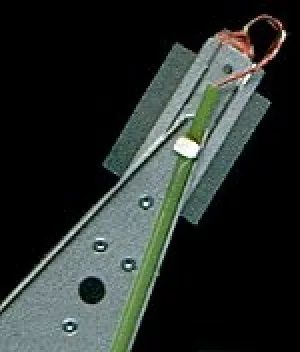
When you shut down your PC, the drive isn’t just turning off. It is performing a critical maneuver to protect its data. The read-write heads are retracted into a safe parking position. This specific procedure is designed to prevent a headcrash, a catastrophic failure where the head slams into the spinning platter.
The head actually touches the surface when parked. This direct contact is usually enough to damage the magnetizable coating on the disk. Once that surface is compromised, data recovery becomes significantly harder. The smooth glide of the head is what keeps the drive alive, but without proper parking during shutdown, that lifespan shrinks dramatically.
The Mechanics of Failure
Most users assume the drive is safe once the screen goes black. The reality is more fragile. The heads hover nanometers above the platter while the disk spins at thousands of revolutions per minute. If power is cut abruptly, or if the parking mechanism fails, the head drops.
This drop causes physical abrasion. The magnetic layer, which stores your files, gets scraped away. The data doesn’t just vanish; it becomes corrupted beyond simple software repair. That’s why cleanrooms exist for the manufacturing and repair process. Outside of that sterile control, the air is too dirty for these precision instruments.
Protecting Your Data from Physical Trauma
Since you can’t control the air quality in your home or office, you have to rely on the drive’s built-in safeguards. Ensuring a proper shutdown sequence is the only way to engage the parking mechanism reliably. Unplugging the computer without shutting it down first risks a head crash.
The consequences of ignoring this protocol are severe. A damaged platter often means the end of the drive and potentially the loss of all data stored on it. There is no software fix for physical scraping. The only solution is replacement, assuming a recent backup exists.
So why do some drives survive rough handling while others fail immediately? It comes down to the quality of the factory seal and the robustness of the parking latch. But even the best-designed drive cannot withstand particulate intrusion. Keep them sealed. Keep them powered down correctly. And never, ever open them in a dusty room.