It is 7 p.m. on a Tuesday. You are trying to make spaghetti and meatballs for two teenagers and a screaming three-year-old. The TV is blaring. The pasta water begins to boil over, spilling onto the stovetop. Then, the phone rings.
You clutch the handset between your neck and your shoulder. You manage a desperate, “Hello?”
On the other end, there is a split-second of silence. Then a cheery recorded voice announces a special offer on lawn care from G&G Garden Care. You want to tell them exactly where they can stick that offer, but threatening a machine is less satisfying. So you hang up. You go back to the chaos of your Tuesday evening. Somewhere, a computer is already dialing the next number.
“Hello, we’re calling with a special offer from G&G Garden Care!”
Once the call connects, a live operator greets the potential customer. They alert them to that day’s gardening specials. This seamless handoff is powered by automated dialing systems. These tools are staples for telemarketing organizations. But they are not limited to sales pitches.
The Mechanics of CTI
Automatic dialers, or autodialers, rely on computer telephone integration (CTI). This technology bridges the gap between your computer and the telephone network. Using specialized software and a modem, a computer can be programmed to rapidly dial a long list of phone numbers.
Depending on how sophisticated the software is, the system can detect if a live person answers. If it can, it hands the call over to a human operator in real-time. The computer can also be programmed to play a recorded message. It can leave a voicemail. Or it can provide a menu of options for the person who answers.
Autodialers aren’t inherently evil. Sure, some companies use them to power annoying telemarketing campaigns. But they serve many other purposes. A school could use an autodialer to alert parents and students to an unexpected closure. A doctor’s office could set up a system to remind senior citizens when to take their medication. A political candidate could dial out to thousands of residents for a telephone town hall.
So, how does this technology actually work under the hood? Is it expensive to set up a simple auto-dialing system? What are your options when choosing an auto-dialing provider? Read on to find out.
Understanding Automatic Dialer Technology
The core function of an autodialer is efficiency. It removes the manual labor from making outbound calls. Instead of a human picking up the phone, pressing each digit, and waiting for an answer, the computer handles the repetitive task.
This saves time. It allows businesses and organizations to reach more people in less time. But it also raises questions. How do these systems ensure they don’t hit voicemail boxes too quickly? How do they distinguish between a busy signal and a live human?
These are the technical details that matter. They determine the effectiveness of the campaign. They also influence the cost. A basic system might just dial numbers and connect to a live agent. A advanced system might use predictive algorithms to guess when a human will answer. This minimizes the time agents spend waiting on hold.
But there are limits. Regulations govern how these systems can be used. The Telephone Consumer Protection Act (TCPA) in the United States, for example, places restrictions on automated dialing. It requires consent in many cases. It limits calls to certain times of day. Ignoring these rules can lead to hefty fines.
So, before you dive into setting up your

Building a basic automatic dialing system isn’t rocket science, and it certainly doesn’t have to break the bank. You’re looking at four core components to get the ball rolling. First, you need a computer. A desktop is usually the safer bet here, just for raw stability and expansion headroom. Second, you need a voice modem. Third, you need the auto-dialing software itself. And finally, you need an active telephone line. It sounds almost too simple, but that’s the physical foundation.
A voice modem is essentially the bridge. It allows the computer to play or record audio directly over a standard phone line. If you’re building this on a standard desktop, you’ve got slots for two to four internal modem cards. Each internal modem grabs one phone line. So, the math is brutal in its simplicity: more modems equal more simultaneous calls. If you’re running a call center with a team of live operators, each person needs their own headset and a dedicated phone line plugged into that hardware. These systems don’t care if you’re using the old Public Switched Telephone Network (PSTN) or modern Voice over IP (VoIP). They work on both.
But let’s be honest. The hardware is just the skeleton. The real magic—the expensive, complicated part—is the software. This is what tells the computer which numbers to punch and, more importantly, how to react when things go sideways. Did an answering machine pick up? Did a human answer? Is it just a busy signal? The software has to handle all of that.
How Voice Detection Separates Humans from Machines
Voice detection is the feature that actually saves you from wasting time on voicemail. It’s the technology that distinguishes between a robotic beep and a human throat. Here is the logic it uses:
If no one answers after four rings—which is roughly 25 seconds—the system assumes it’s a machine. High probability. It moves on.
But when someone actually picks up, the software gets nervous. It measures the length of the first words spoken. It waits for a pause. If the response is a short burst of words (one to three seconds) followed by a silence, it’s a human. Something like, “Dr. Johnson’s office. How can I help you?”
Once detected, the call is either handed off to a live operator or a pre-recorded message is played. Ever heard that awkward silence right after you say “Hello?” on a telemarketing call? That’s the software recognizing a human voice and routing the call to an available operator. That split-second delay is the sound of automation working.
Predictive Dialing: Maximizing Operator Talk Time
One of the most fascinating (and controversial) developments in auto-dialing software is predictive dialing. This is strictly for call centers. It’s designed to keep multiple operators on the phone simultaneously, minimizing their dead air.
Predictive dialing uses a complex algorithm to guess when an operator will be free. It’s not guessing randomly. It analyzes historical data:
- How many calls are answered by live people?
- How many are answered by machines?
- How many never ring out or hit a busy signal?
- What is the average length of a conversation when a human answers?
Using these factors, the software calculates the exact interval to start dialing a new number. The goal? Maximize the time operators spend talking to actual humans. The system will often dial numbers even when no operators are currently available, banking on the fact that an operator will hang up from call A at the exact moment call B starts ringing. It’s aggressive. It’s efficient. It can be annoying for consumers, but for the call center, it’s the holy grail.
Interactive Voice Response (IVR) in Outbound Calls
We usually think of Interactive Voice Response (IVR) as a system you call for customer support (“Press 1 for sales”). But autodialers use it differently. In an outbound context, IVR allows a company to autodial consumers and present them with an interactive menu.
Imagine a marketing firm running a demographics poll. They autodial a list of numbers. When you answer, you aren’t met with a human immediately. You’re met with a menu. You can answer the poll using your telephone keypad or voice responses. It turns a passive call into an interactive data collection tool without requiring a live agent to listen to every single response.
This brings us to the broader ecosystem. While the core technology remains rooted in those four basic components, the services and features surrounding autodialers have evolved. We’re moving past simple brute-force dialing into nuanced, behavior-driven communication.
Automatic Dialer Services
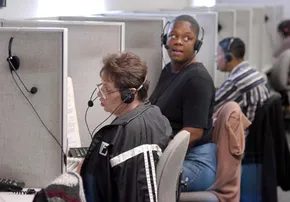
Voice broadcast—that old-school autodialing paired with a pre-recorded audio clip—is still the heavyweight champion of outbound marketing. It’s cheap, it’s scalable, and it lets a sales team skip the cost of live operators for the initial pitch. By layering in Interactive Voice Response (IVR), companies can even funnel interested callers directly to a human after the robot finishes its spiel.
But the utility doesn’t stop at sales. The real value lies in notifications and reminders. With text-to-speech (TTS) technology, these messages aren’t just generic blasts; they are dynamic, personalized, and urgent.
Personalization at Scale
Consider an airline. When a flight schedule shifts, the auto-dialing software hooks into the passenger database. It doesn’t just ping the app; it calls. The message is customized: “Mr. Johnson, your flight now leaves Denver at 6:02pm.” That personal touch matters. It cuts through the noise of a busy traveler’s life.
This logic applies across industries:
- Higher Education: Universities trigger mass notifications for campus emergencies, reaching students, faculty, and staff simultaneously via phone.
- Healthcare: Doctor’s offices use autodialers for appointment reminders, medication adherence checks, or wellness calls to elderly patients.
- Hospitality: Restaurants and hotels send automated confirmations for reservations, reducing no-shows.
- Finance: Banks deploy automated alerts for potential fraud, payment due dates, and even debt collection notices.
- Retail & Manufacturing: Brands alert customers to product recalls, shipping updates, or order status changes.
- Civic Engagement: Political campaigns broadcast voter outreach messages, reminding constituents to head to the polls.
- Public Safety: Police departments issue targeted alerts for local crises, such as a kidnapping, including physical descriptions of suspects and victims.
These aren’t just convenience features. They are critical communication channels that rely on speed and reach.
The Live Operator Alternatives
Voice broadcast is rigid by design. It plays what it’s told. But call centers dealing with live agents often need more flexibility. Here’s how the dialing modes shift to support human interaction:
- Preview Dialing: The system holds the line while the operator reviews the contact’s data. This is ideal for high-stakes sales calls where tailoring the script makes the difference between a sale and a hang-up.
- Progressive Dialing: The call connects as it’s dialed, giving the agent a few seconds to glance at on-screen info before the customer even answers. It’s a smoother handoff.
- Predictive Dialing: This is where the algorithms kick in. The software dials multiple numbers simultaneously, predicting when an agent will be free. It maximizes talk time and minimizes dead air, allowing centers to operate with fewer staff. It’s efficient. It’s ruthless.
- “Smart” Predictive Dialing: A hybrid approach. The system plays a pre-recorded message first. Only if the recipient presses a key to show interest is the call transferred to a live agent. This filters out the uninterested, ensuring human time is spent on warm leads.
The Hidden Costs and Friction Points
Despite the efficiency, autodialing has significant drawbacks. For one, the “telemarketer’s lag”—that half-second silence before a human speaks—has become a universal flag. People hang up. They know it’s a bot. The trust factor is eroded.
Then there’s the data. Autodialers run on leads lists, often purchased for hundreds or thousands of dollars. These lists are frequently outdated, inaccurate, or simply unproductive. You’re dialing ghosts.
And if you go in-house? The costs spike. Reconfiguring an internal system isn’t plug-and-play; it often requires professional IT help, turning a simple marketing tool into a complex engineering burden.
Navigating the Provider Landscape
Choosing the right auto-dialing service provider depends on your volume, your budget, and your need for human intervention. The market is saturated with options, each promising higher connect rates and lower costs. But the technology only does half the work. The other half is knowing when to let the robot speak and when to bring in the human.
The line between helpful notification and intrusive spam is thinner than ever. As algorithms get smarter, the lag gets shorter, and the personalization gets deeper, the question isn’t just how to reach more people. It’s whether they still want to be reached.
Deciding how to handle outbound calling usually boils down to two paths. You can buy the hardware and software, running everything from your own office, or you can pay a monthly fee to have someone else host the system. Most providers offer both, but the price tags tell very different stories.
Take Database Systems Corp (DSC). This Phoenix-based provider serves clients of all sizes across the US. A sales rep gave us concrete numbers to show the difference.
Imagine a school needs to send a 30-second emergency alert to 1,000 people. The target is to finish within 25 minutes.
If the school buys its own equipment, it needs over 40 simultaneous phone lines to hit that speed. That hardware and setup runs about $48,000. That’s a huge upfront hit for a system that might sit idle most of the year.
Switch to a hosted mass notification system from DSC, and the math changes completely.
There is a one-time setup fee of $250. This covers a toll-free number for recordings, a web interface to manage contact lists, and basic reporting.
Then there is the monthly fee. You pay $25 a month if you only need the account active for 16 hours a day, five days a week. Go 24/7, and it costs $50.
Usage is billed separately. DSC charges 15 cents per phone number dialed. That fee includes three attempts per number plus the actual cost of the call minutes.
For a school that uses this once a year for local calls, the total comes to roughly $1,200.
Which option makes sense?
If you are making hundreds of calls daily, owning the lines might eventually pay off. But for occasional blasts, the hosted model is vastly cheaper. You avoid the $48,000 sinkhole.
Software-Only Solutions
Not everyone needs a cloud service. Some organizations just want the software to run on their existing phones. AutoDialerPlus specializes in this. They have packages for small teams and large call centers.
At the entry level, there is a tool called Cheetah.
It is straightforward. You upload a list of numbers. You click dial. It calls one number at a time.
If a person answers, the call routes to a live agent. If the line is busy or there is no answer, it skips to the next number. The operator sees everything on screen, including scripts and call status.
Cheetah also plays recorded messages if it hits an answering machine. It even checks your list against the National Do Not Call Registry before you dial.
The cost is $299. But it only works with one phone line.
For bigger teams, there is Piranha. This is a predictive dialer.
It handles up to 24 agents and 24 phone lines. The “predictive” part is key. The software calculates how long calls take and dials ahead to keep agents talking. It minimizes the dead air that kills productivity.
Piranha includes features you expect from high-end systems:
- Call recording for agents and supervisors
- Conference calling and transfers
- Scheduled callbacks
- “Whisper” coaching. Supervisors can listen in and guide agents in real-time
- Automatic scrubbing of Do Not Call numbers
- Faster connections that hide the robotic delay typical of telemarketers
The pricing scales with size. The basic software starts at $1,500.
An eight-line system for two agents costs $3,600.
The top tier supports 72 lines and 24 agents. That configuration costs close to $40,000.
So, where does that leave you?
The hosted model removes the headache of maintenance. You don’t worry about line failures or software updates. You just pay for what you use.
The on-premise model gives you control. You own the data. You own the lines. But you also own the support calls when things break.
For most schools, small businesses, or non-profits, the hosted route is the only one that makes financial sense for sporadic use. For call centers moving thousands of leads a day, the software-only route might offer better long-term value.
The choice isn’t just about tech. It’s about how often you actually pick up the phone.